Personalise Your Step Out of the Frame
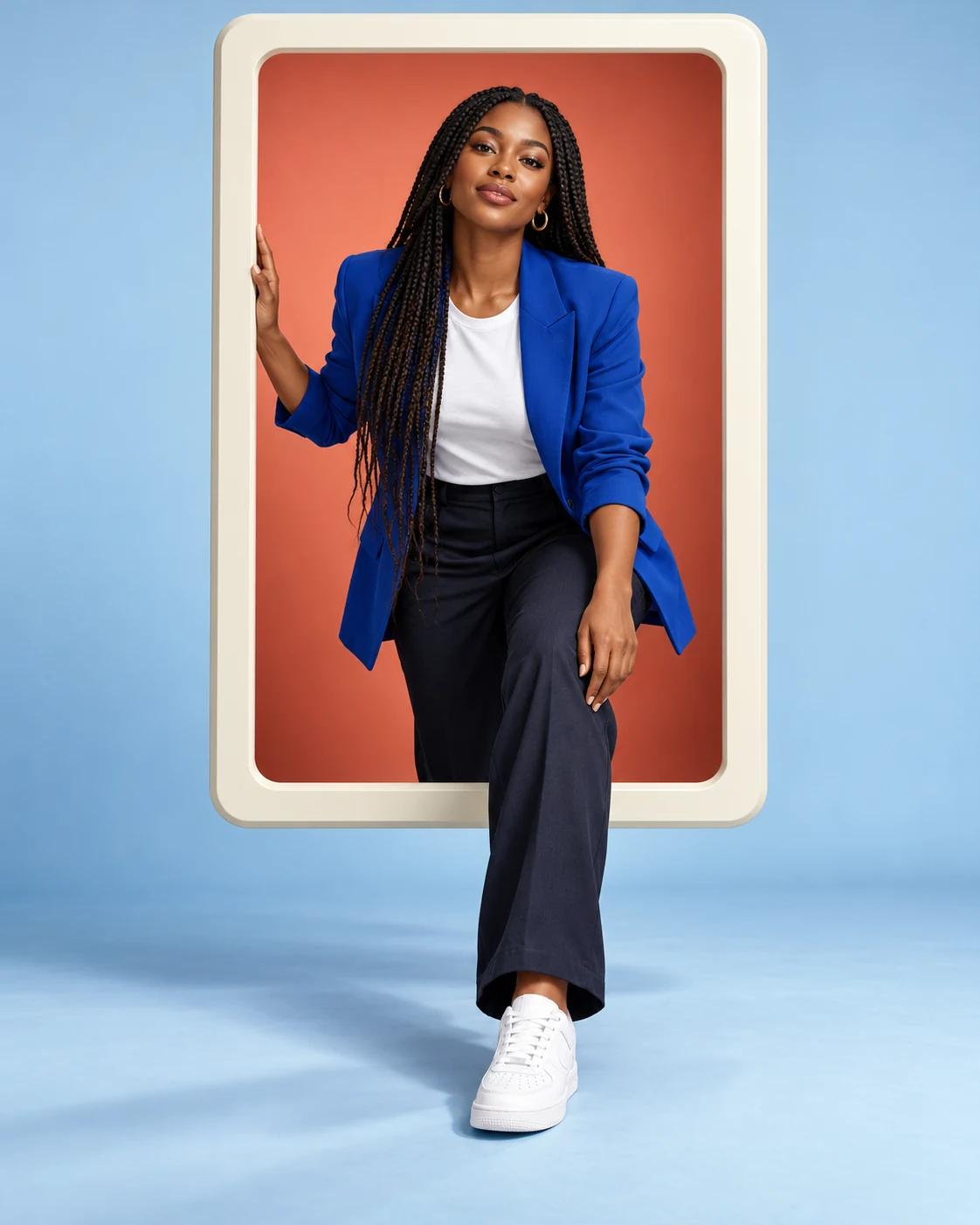
A pop-out portrait creates depth by letting part of the subject cross a picture-frame boundary. This version uses a blank frame and two studio colours, keeping attention on the stepping pose rather than a simulated social-media interface.
What Defines This Look
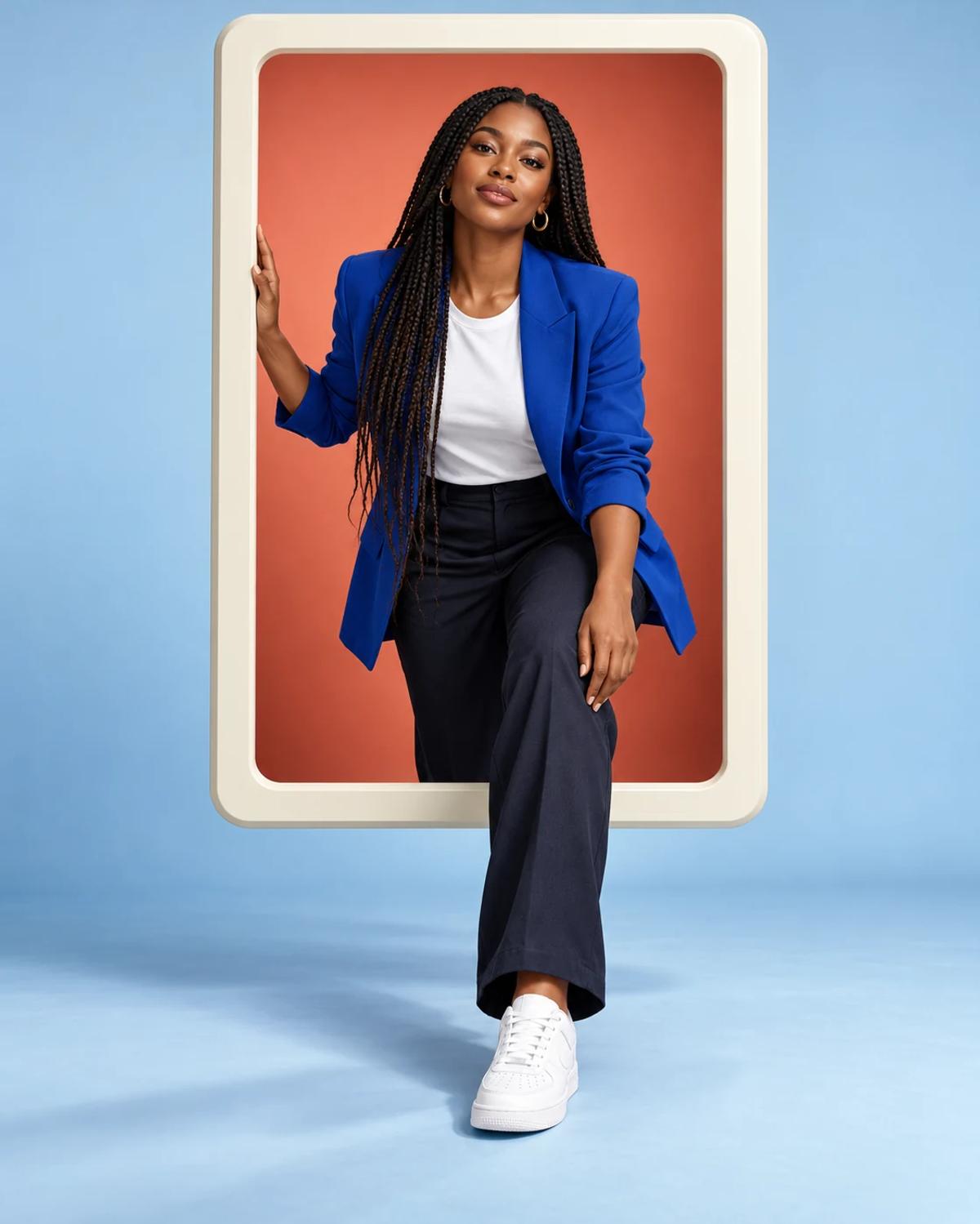
The head and torso sit within the frame while a forward sneaker crosses the lower edge. The illusion depends on consistent overlaps and shadows: one continuous person should connect the space inside the frame with the space outside it.
How to Create Your Version
Start with one clear identity photo and let the template supply the scene.
Choose the reference photos
Use a sharp photo with a clear face and visible shoulders. A full-body reference can help show the subject’s proportions, provided the face is still large and clear enough to recognise.
Open Remix and upload
Upload one person photo in Remix. The frame, stepping pose and studio palette are supplied by the template; the source does not need to show the same pose.
Review before sharing
Trace the body from head to feet and check each frame overlap. Look for duplicated legs, a disconnected shoe, a hand passing through the frame or two copies of the person.
Make the Result Useful
Keep the composition readable and make any final adjustments deliberately.
Choose the right crop
Keep the full frame and forward foot in the crop. Cropping tightly to the face removes the depth cues that make this template distinctive.
Refine a small detail
If a hand, accessory or background detail needs attention, open Image Editing for a focused adjustment. Keep the first result so you can compare your edit without losing the original.
Questions About This Template
Practical guidance for the reference photos and the generated result.
Does this create a real 3D model?
No. It creates a flat image with a depth illusion. The frame overlaps and shadows make the figure appear to step forward.
Does it include a social-media app interface?
No. The frame is intentionally blank. Add any real interface elements or labels separately if your project needs them.
Can I use a headshot?
A clear headshot can supply identity, but the body pose is generated. Check proportions and clothing carefully; a sharp full-body reference may give more context.
Continue Creating
Explore a related template or open a separate creation tool. Model links below start a separate workflow.
Pastel Purikura Portrait
Try a different composition with related upload guidance.
Artistic Portraits
Browse the other templates in this topic.
Image Editing
Refine a local detail in your finished image.
GPT Image 2.5 Flare
Explore free-form image creation on this model page.
GPT Image 2.5 Sunburst
Open another model page for a separate image workflow.