
Dress up as an AI limit message
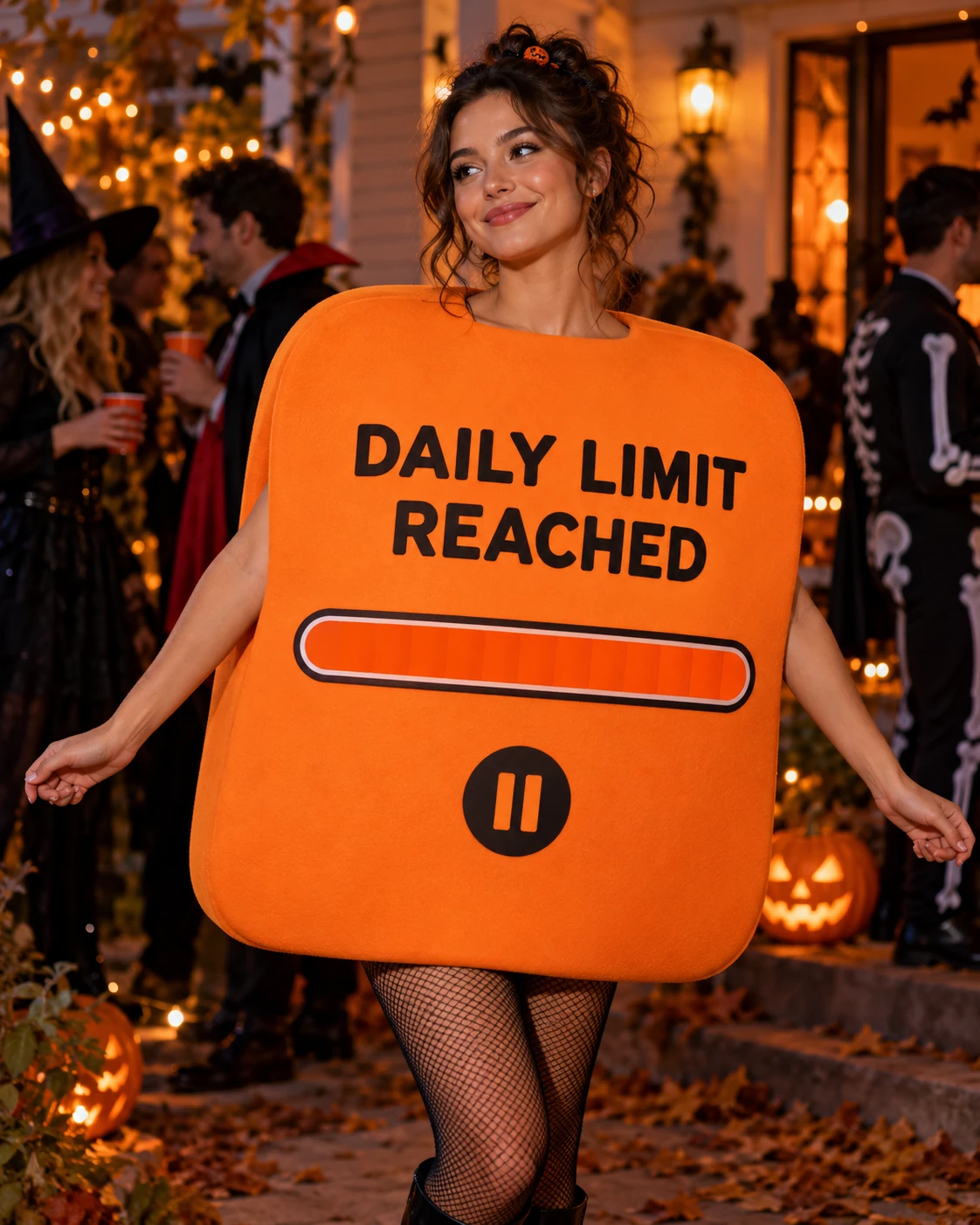
Turn an adult portrait into a Halloween party image featuring an orange foam costume shaped around a fictional error dialog. The chest panel is designed to say “DAILY LIMIT REACHED,” with a full progress bar and a pause symbol. A dark purple backdrop and direct flash complete the look.
Choose a clear portrait where your face and hair are easy to see. The template creates an imagined outfit; it does not require a photo of a real costume.
The joke depends on a readable costume silhouette: look for a physical sign or dialog box integrated with the outfit, rather than floating text over the image. Generated letters can be imperfect, so inspect the message before using the image as a party invitation or profile post.
Make the joke readable
After generating, zoom in on the panel. AI-generated lettering can misspell or rearrange words, and the bar or pause icon may need another attempt. Check that the costume's edges, hands and face also look natural.
The dialog is a fictional costume concept, not a screenshot or official product. The current prompt uses the daily-limit message; other slogans or colors would require a separate edit.
How to create your error-message costume
Use a clear portrait and review the finished costume before sharing.
Choose a portrait
Upload a clear adult portrait with your face and hairstyle visible.
Generate the party portrait
Select the template and generate an image with the orange foam outfit and fictional error panel.
Review the details
Check the face, hands and spelling on the dialog panel before saving or sharing.