A seasonal fashion image with room to breathe
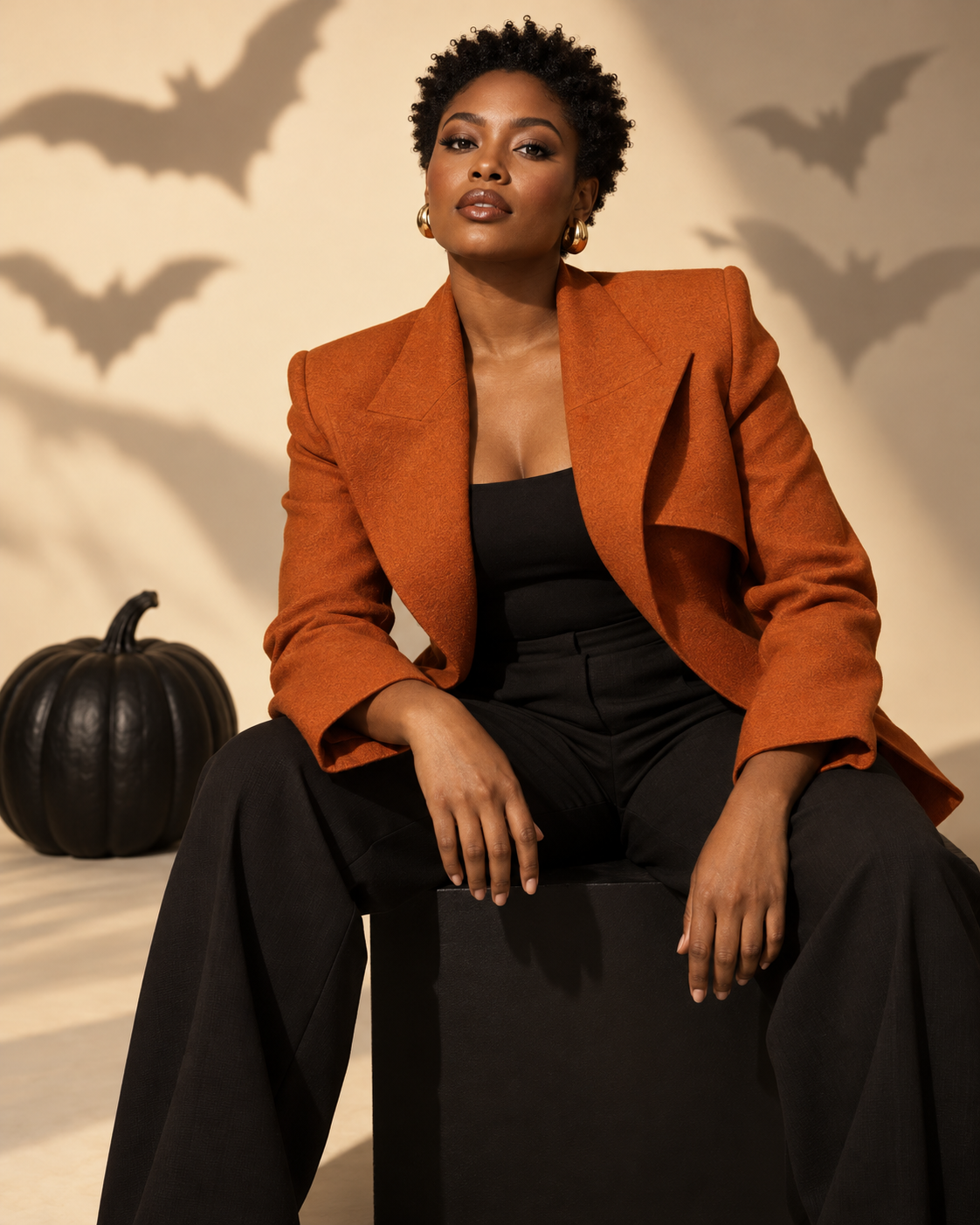
Put yourself in a clean Halloween fashion shoot with burnt-orange tailoring, a cream studio backdrop and graphic shadows. Upload one portrait; no costume preparation needed. The example shows the intended composition. Your uploaded photo provides the identity; the template provides the scene and styling. Generated likeness and small details can vary, so review the result before sharing.
A seasonal fashion image with room to breathe
The orange jacket is the main seasonal cue. A matte black pumpkin and distant bat-shaped shadows keep the image recognisably Halloween without filling the frame with props. Cream negative space gives the photograph a clean editorial feel; the generated image itself contains no magazine text.
Use a clear half-body portrait with your face visible and shoulders separated from the background. A full-body photo also works as an identity reference, provided the face is not too small.
Make this look with one photo
The template instructions are applied automatically. You do not need to write or copy a prompt.
Choose a clear identity reference
Use a clear half-body portrait with your face visible and shoulders separated from the background. A full-body photo also works as an identity reference, provided the face is not too small.
Open Remix and upload your photo
Use this template’s Remix button, then upload one photo of one person. The template image is supplied automatically as the visual base. Avoid uploading a collage or several different people.
Review the settings before generating
The intended composition is 4:5. Check the available settings and credit estimate in the creator before starting. The main subject is personalised while the template scene is retained.
Check the result and save
Look for jacket edges that follow the body and hands that remain separate from the knees. The costume should feel worn rather than pasted over the subject. Extra pumpkins, lettering and unrelated props would dilute the intended graphic look. Review the full frame before sharing. Save a version you are happy with; another attempt may produce different details.
Get a more convincing result
Small source-photo choices are more useful than adding complicated instructions.
Check the tailoring at shoulders and hands
Look for jacket edges that follow the body and hands that remain separate from the knees. The costume should feel worn rather than pasted over the subject.
Keep the studio composition clean
Extra pumpkins, lettering and unrelated props would dilute the intended graphic look. Review the full frame before sharing.
Start with a clean reference
Use an unfiltered photo with one clear face. Tight crops, strong beauty filters and objects across the face can make identity transfer harder to assess. Keep the original photo for comparison.
Before you remix
Does it add a magazine title?
No. This is an editorial-style photograph without generated typography. You can add your own layout afterwards.
Must I upload a seated photo?
No. The template supplies the seated composition. A clear face and upper body are more important than matching the example pose exactly.
Can I use it as a profile picture?
You can crop it, but the jacket and studio props are part of the effect. Keep enough shoulder area to retain that context.
Do I need to enter a prompt?
No. This template supplies its instructions automatically. Upload one photo and review the available settings before starting.
Continue creating
Explore a related Halloween look, refine a detail, or try a separate image model.
Halloween collection
Browse the full seasonal collection and choose a different visual treatment.
Spiderweb Jewel Makeup
Switch to a square close-up when the makeup and face should fill the frame.
Image editor
Refine a small visual detail or prepare another source photo for a new attempt.
GPT Image 2.5 Flare
Explore this separate image-model page for another project. Opening it does not change this template’s Remix preset.