
Turn a character idea into a reference sheet
Create one reusable character reference image from a description or photo.
- Description or reference photo
- Five view layouts
- Four visual styles
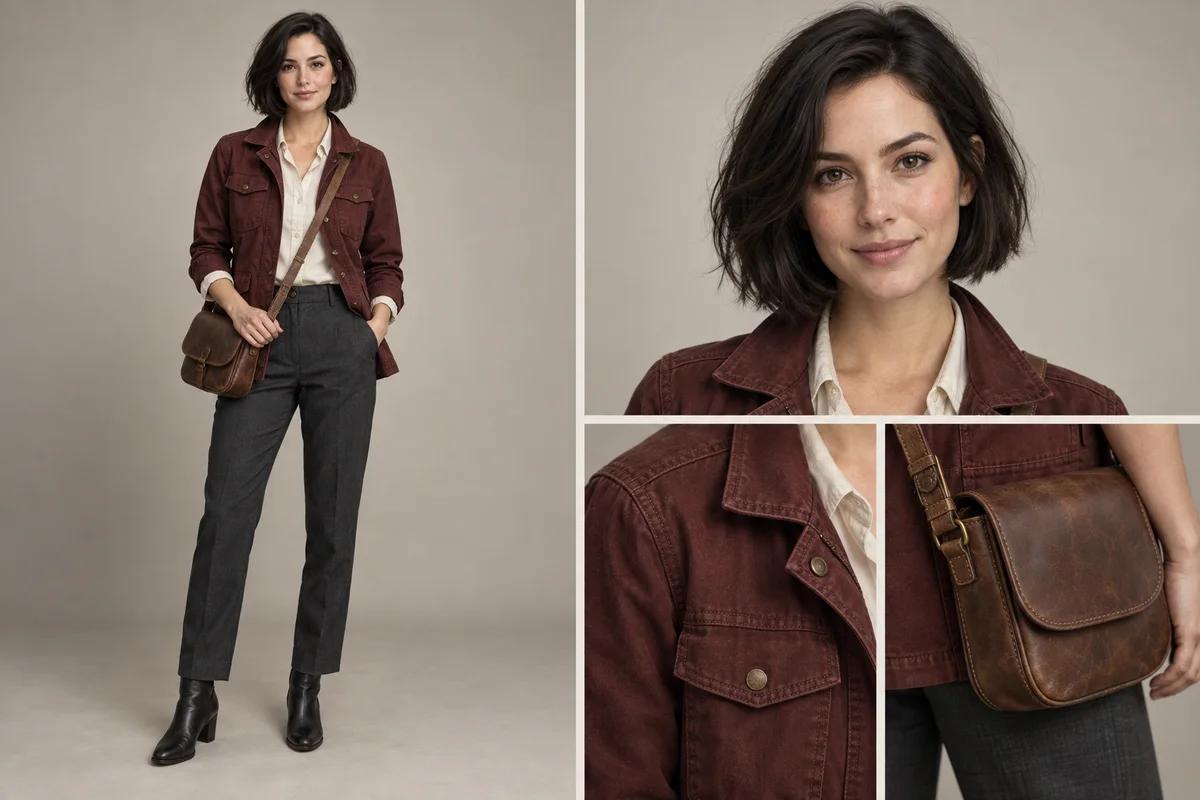
Give your character a clear visual identity
Describe the face, hairstyle, outfit, colors, and distinctive accessories, or upload a clear character photo. You can combine a photo with a description to clarify the details you want. The tool builds the layout instructions around your brief. This model-card illustration shows a full-body view, face close-up, and outfit details; it is an AI-created concept, not a recorded product output.
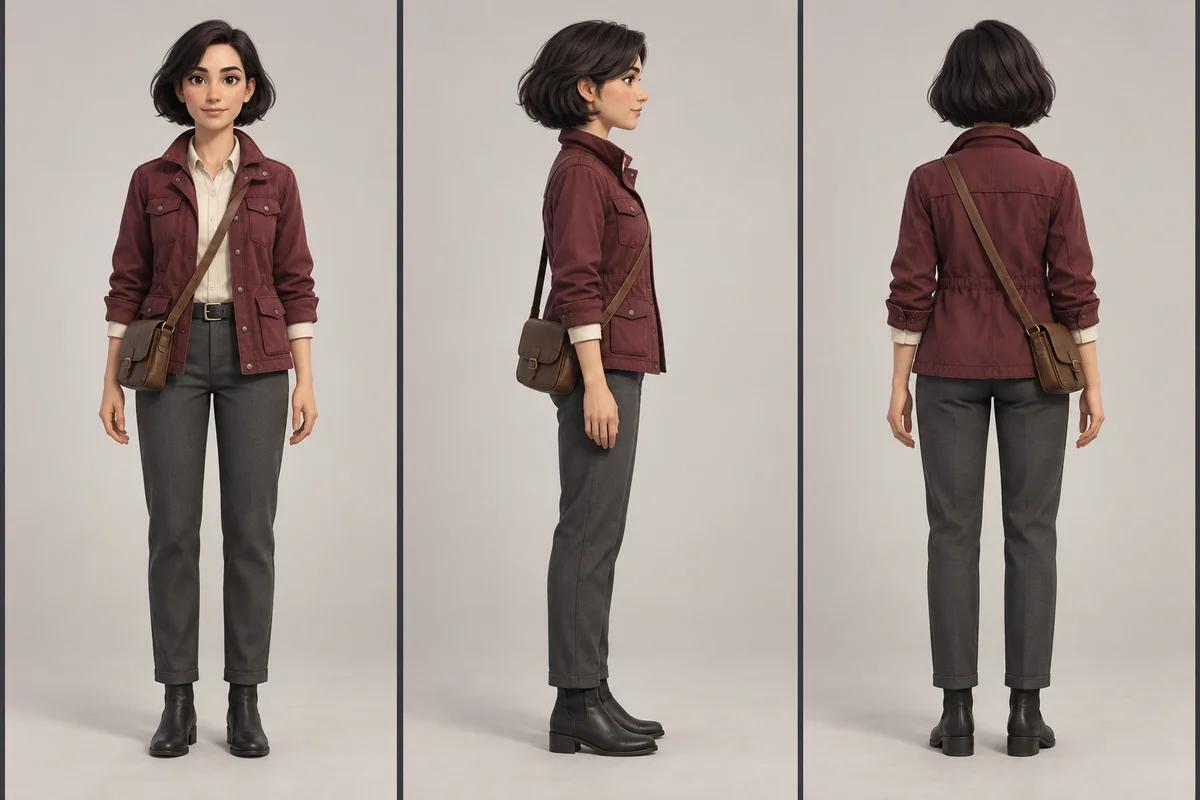
Choose the view and style for your reference
Available layouts are Model card, Front view, Three views, Face and expressions, Face + full body. Visual styles are Realistic, Anime, Illustration, 3D animation. Choose the combination that helps explain your character, then review the available model and output settings. The illustration is a conceptual 3D front, side, and back reference. Each request creates one combined image, not separate files for each view; generated details can vary.
How to create a character reference sheet
1. Describe or upload your character
Start with a written character description, a reference photo, or both. For photo input, use a clear PNG, JPG, or WebP up to 20 MB that you have permission to use.
2. Pick a view and visual style
Choose from Model card, Front view, Three views, Face and expressions, Face + full body, then select Realistic, Anime, Illustration, 3D animation. The tool includes the selected layout and style in the generation instructions.
3. Review the model and output settings
Choose an available model and, when supported, an aspect ratio and resolution. A photo uses the image-to-image workflow; a description without a photo uses text-to-image. Review the estimated credit cost before generating.
4. Generate, inspect, and reuse
Select Generate sheet, then inspect the faces, clothing, proportions, and different views. Download the combined image or use Use as next reference to build another sheet from the result.
Start with a concise brief: "An adult courier with a short dark bob, burgundy field jacket, cream shirt, charcoal trousers, black ankle boots, and a small brown satchel." Describe a few recognizable details, then choose the view separately in the controls. A reference helps guide the appearance, but exact identity across separate generations is not guaranteed. Check each panel before using the sheet as a visual reference for a story, illustration, or game concept.
Character reference sheet FAQs
Do I need a reference photo?
No. You can start with a description alone to create an original character. A reference photo is optional; if you upload one, you may also add a description to clarify what you want.
Which views can I create?
The available view types are Model card, Front view, Three views, Face and expressions, Face + full body. Three views requests front, side, and back panels in one image; the other options focus on a front view, face and expressions, or a combined model card.
Which visual styles are supported?
You can choose Realistic, Anime, Illustration, 3D animation. The selection guides the prompt, while the chosen model determines how the final image is rendered.
Do the views download as separate images?
No. Each generation creates one combined image. Download that image using the result actions; the page does not export separate view files, a rigged 3D model, or an animation.
Will the character stay exactly the same in every sheet?
Each generation creates one combined image. A reference helps, but exact identity across separate generations is not guaranteed.
Can I use a generated sheet as the next reference?
Yes. Select Use as next reference on an available result. You can then adjust the brief, layout, or style and generate another sheet. Review the estimated credit cost before each new request.