Make Your Vintage Black and White Photo Booth
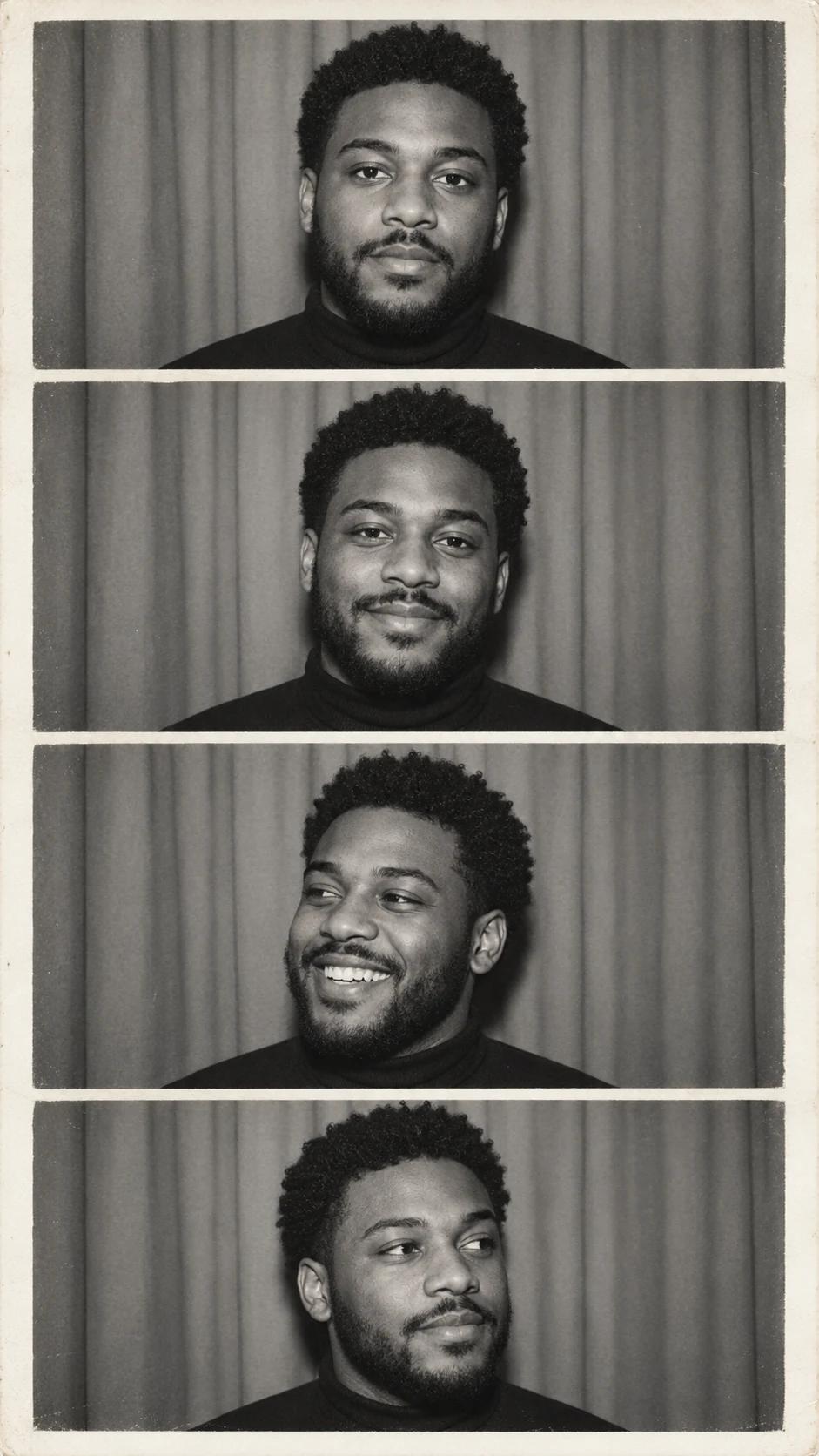
A classic photo strip captures a sequence of expressions without needing a complex setting. This version pairs four monochrome portraits with a narrow paper border, making it useful for a keepsake, a profile story or a simple collage.
What Defines This Look
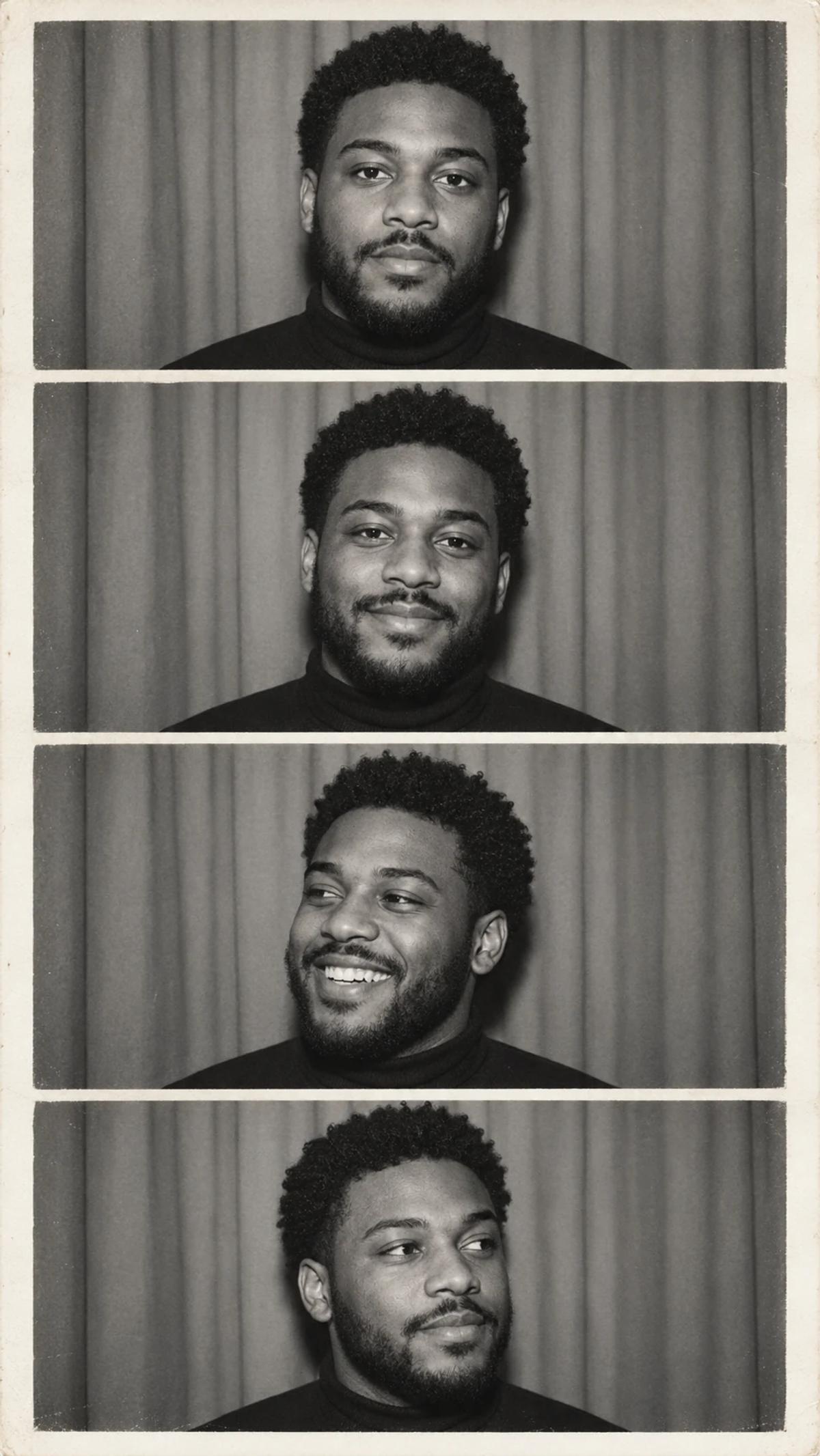
The expressions change while the subject, lighting and crop remain related. A restrained gray background and dark clothing keep attention on the face. The strip is one finished image, so the spacing between frames is part of the design.
How to Personalise It
Start with one photo and use the template scene as your visual reference.
Choose a clear reference
Use a well-lit portrait of one person facing the camera. Keep hair and chin inside the crop, and avoid a hand over the mouth or a wide-angle selfie taken too close to the face.
Open Remix and upload
Select Remix, upload one photo and review the displayed cost before generating. The template supplies its scene and styling, with a 9:16 output composition.
Review the finished image
Check that all four frames show the same person. Look closely at teeth in the laughing frame, the shape of the ears and the alignment of the eyes. Keep the frame count at four.
Get More From the Result
A few checks make the image easier to use after generation.
Choose the right crop
Keep the full strip for a vertical story or print layout. If you crop one frame for an avatar, leave enough room around the hair and chin.
Refine one detail at a time
If the likeness or a small detail needs work, use Image Editing for a focused adjustment. Keep an unchanged copy so you can compare the edit with the original result.
Questions About This Template
Practical guidance before you upload a photo.
Can I use a colour photo?
Yes. The template converts the scene to black and white. Choose a photo with clear facial detail rather than trying to pre-convert it yourself.
Does it create four separate files?
The intended output is one vertical image containing four portraits. You can crop individual frames afterward if needed.
Will it reproduce my exact expressions?
The example supplies a sequence of expressions, while your upload supplies identity. The expressions are generated and may differ from those in your original photo.
Continue Creating
Explore related scenes or open a separate creation tool. These links do not automatically apply this template.
Birthday Spotlight Portrait
Try a different composition with birthday spotlight portrait.
Retro Portraits
Browse more ideas in this topic.
Image Editing
Refine a background, accessory or local detail in a finished image.
GPT Image 2.5 Flare
Explore another image model in a separate creation workspace.
GPT Image 2.5 Sunburst
Open the model page for a different free-form image creation workflow.